Mobile grooming software
Drive time is part of the appointment.
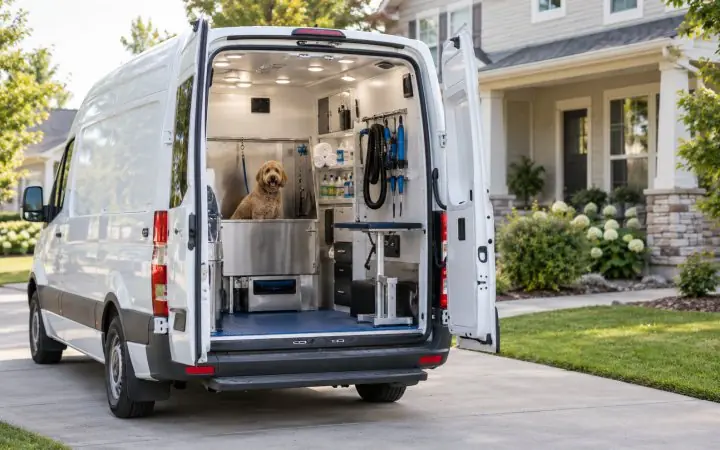
Mobile grooming software that treats drive time as part of the appointment. A slot that ignores the twenty-five minutes between two driveways is not a real slot, so Bandana knows which side of town the van is on each day and keeps the times it suggests within your driving rules.
A sample Bandana screen for mobile grooming.
What that actually changes
-
Service areas by day
North side Tuesdays, south side Wednesdays. A booking request from outside the area you cover that day is turned away, and Find a time only suggests days the area is served.
-
Driving rules, before and at booking
Set how far or how long a van may drive between stops. For a client whose address is on the map, Find a time leaves out any time the van could not drive to, measured from the stop before and on to the stop after. A booking that breaks the rule is still stopped with the reason on screen, and when you move an appointment somewhere that breaks it, you are told why, and a manager can move it anyway.
-
Time to get there, not only distance
Bandana also checks that the van can drive from the visit before in the time between them, and on to the visit after. Find a time leaves out the times it cannot reach, and a booking or a move into one is stopped with the numbers: how long the drive is and how long there is. A manager sees the times it held back, and why, and can book one anyway.
-
Which van, on every visit
Each visit the van drives to is booked into a van: the one that covers the address that day, with the driver doing the job first. Two vans can serve the same street on the same day, and with more than one van the desk can change which one is going from the visit's card on the calendar.
-
"On my way" texts
From a visit's card on the calendar or from the round, one press texts the client that the van is on its way, with about how many minutes and around what time. The estimate is the drive from the previous stop or the depot, not live tracking, and it only goes to clients who have agreed to appointment texts.
-
Check a day's order
For one van's day, see whether a different order of the same stops would mean less driving, and about how many minutes it would save. It is a suggestion: nothing is moved, because the times are the ones your clients were promised.
-
The calendar by van
Switch the calendar from groomers to vans and each van is a column. Between visits you see how long the drive is, and it turns red when the drive is longer than the time before the next visit. The times are estimates. Drag a visit to another time, or into another van, and confirm.
-
The day's round
One van's stops for the day in time order, with the drive between each one, and on the map a line in the van's color joining them, from the depot when one is set, so a day that zig-zags across town shows at a glance.
All of this is included
Every business type gets the whole system, not a cut-down version of it.
- Scheduling The calendar and how it gets filled
- Operations The day itself, and who does what
- Payments Checkout, card payments and the day's totals
- Client experience Booking, reminders and report cards
Run a different kind of business?
How it works in detail
- Setting up a van — Your vehicle, where it starts, and which days it goes where.
- The day's round — The stops in order, the drive between them, and the map.
- Service areas and how far you will go — Where the van goes, and the rules that stop it going too far.
- Finding a time on the phone — Answering "when can you fit Bella in?" while they are still on the line.
Pet people build brighter tomorrows
Bandana for mobile grooming.
Start free and set it up yourself, or have us move you across from whatever you are on now.